

Skip to Content

Odoo Community Edition

Odoo, tailored to your business.

Deals, orders, inventory and invoices stop living in separate tools. We bring Odoo Community into your business, connect it to the systems you already use and remain your technical partner after go-live.

AREA51BIT's role

  • Configuration
  • Systems integration
  • Customization, where needed
  • Ongoing support

Illustration using real Odoo Community screens and fictional data. In practice, the move is a phased project, not a single click.

Your first integrated ERP

Is this your first ERP?

We assess whether Odoo Community is right for your business and introduce it step by step, starting with your priority activities and the data you already have.

Let's assess Odoo together

Existing installation

Already using Odoo?

OCA modules, customization, integrations, maintenance, updates and version migrations: we start with a review of your installation.

Talk to a specialist

Industries

Odoo Community for your industry

Every business works differently. See how we can help you organize processes, information and operations with Odoo Community.

ERP for wholesale and distribution

Orders, inventory, deliveries and invoices stay in step: from quote to shipment to invoice, in one flow.

  • Sales
  • Purchase
  • Inventory
  • Invoicing
  • CRM
Community · Sales
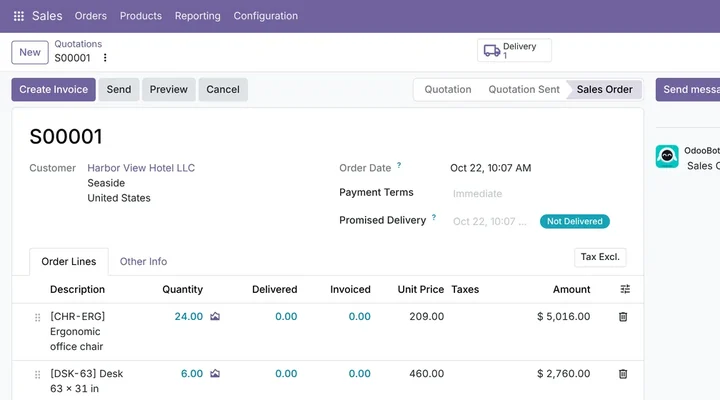
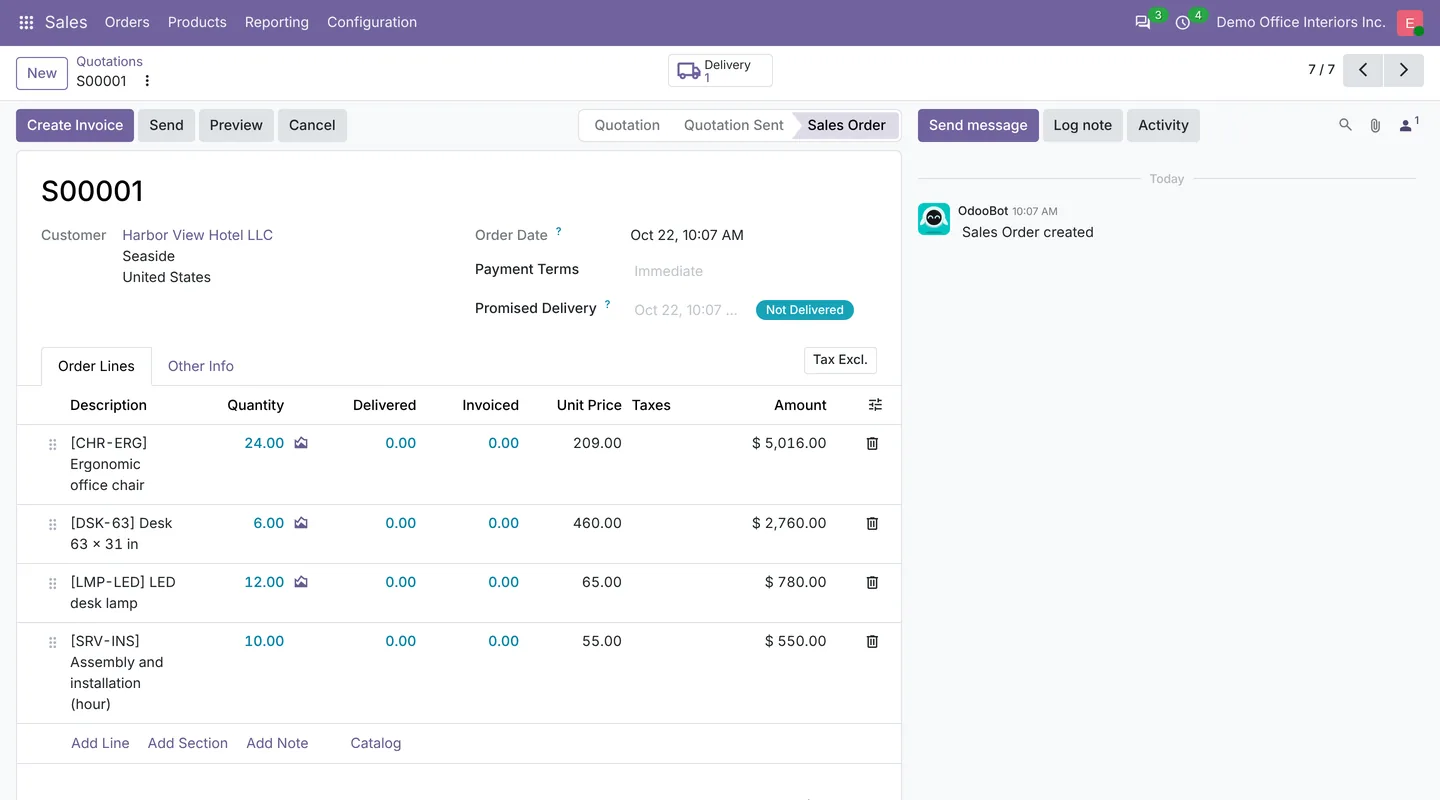
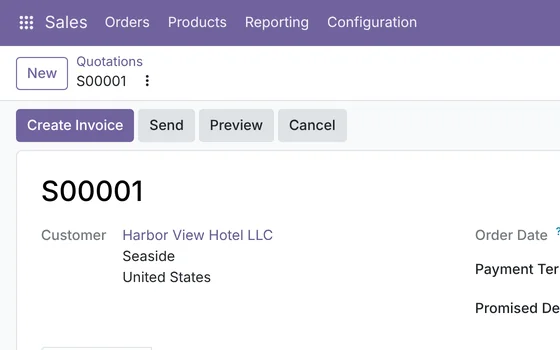
Odoo Community, Sales app: confirmed sales order S00001 with product lines, quantities and amounts in US dollars. Fictional company and data.
  1. 01Quotation
  2. 02Sales order
  3. 03Delivery
  4. 04Invoice
Illustration and real Odoo Community screenshot · fictional data

Point of sale and inventory for retail stores

The Odoo Community Point of Sale records counter sales and updates inventory right away, with customers, prices and promotions.

  • Point of Sale
  • Inventory
  • Invoicing
  • Contacts
Community · Point of Sale
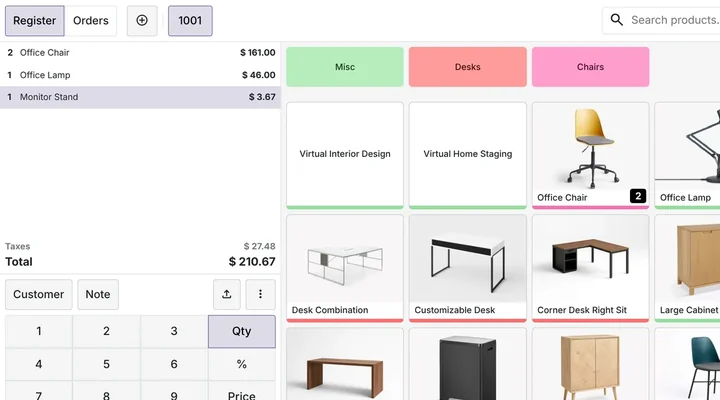
Odoo Community, Point of Sale: a counter order with office chairs, a lamp and a monitor stand on the left, the product catalog on the right. Demo data.
  1. 01Catalog and prices
  2. 02Counter sale
  3. 03Inventory updated
  4. 04Register closing
Illustration and real Odoo Community screenshot · fictional data

Odoo Community for professional services firms

Engagements, hours worked and billing stay connected: the time you track turns into invoice lines.

  • CRM
  • Sales
  • Project
  • Timesheets
  • Invoicing
Community · Project
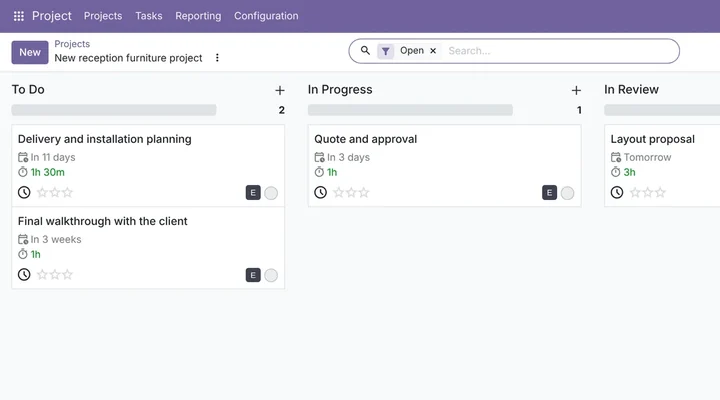
Odoo Community, Project app: the “New reception furniture project” in a kanban view by stage, with deadlines and hours. Fictional company and data.
  1. 01Proposal
  2. 02Project
  3. 03Time tracked
  4. 04Invoice
Illustration and real Odoo Community screenshot · fictional data

ERP for manufacturers and workshops

Bills of materials, manufacturing orders and components under control, with linked costs and subcontracting.

  • Manufacturing
  • Inventory
  • Purchase
  • Maintenance
Community · Manufacturing
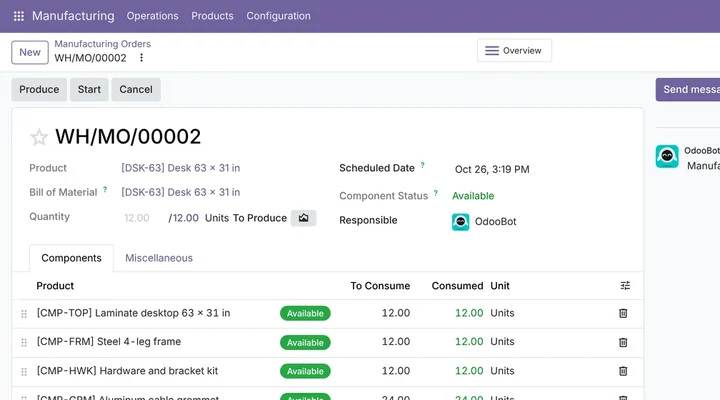
Odoo Community, Manufacturing app: manufacturing order WH/MO/00002 for 12 desks, with all components available. Fictional company and data.
  1. 01Customer order
  2. 02Bill of materials
  3. 03Manufacturing order
  4. 04Finished product in stock
Illustration and real Odoo Community screenshot · fictional data

Jobs and spare parts for contractors and maintenance teams

From quote to job: spare parts taken from inventory, technician hours tracked, then the invoice.

  • Sales
  • Repairs
  • Project
  • Timesheets
  • Inventory
Community · Repairs
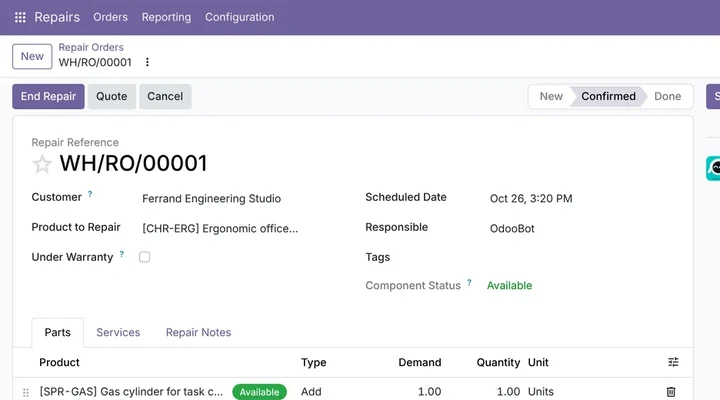
Odoo Community, Repairs app: repair order WH/RO/00001 for an office chair, with a gas cylinder and casters as available spare parts. Fictional company and data.
  1. 01Request
  2. 02Quote
  3. 03Job with parts
  4. 04Invoice
Illustration and real Odoo Community screenshot · fictional data

Floors, tables and orders for bars and restaurants

Restaurant mode in the Point of Sale handles floors and tables, order tickets printed for the kitchen and the bar on compatible printers, and split bills.

  • Point of Sale · Restaurant
  • Inventory
  • Invoicing
Community · Point of Sale · Restaurant
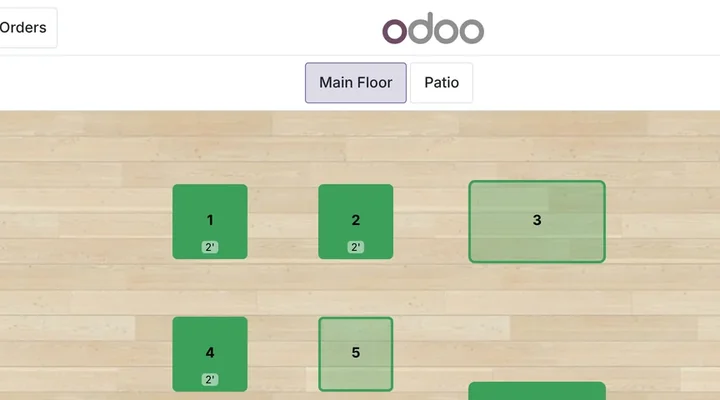
Odoo Community, Point of Sale in restaurant mode: floor plan with free and occupied tables. Demo data.
  1. 01Floor and tables
  2. 02Order
  3. 03Kitchen ticket
  4. 04Bill
Illustration and real Odoo Community screenshot · fictional data

Events, registrations and members for organizers and associations

Events with free or paid tickets, registrations, communications and attendance tracking; members organized by membership level.

  • Events
  • Sales
  • Email Marketing
  • Partnership
Community · Events
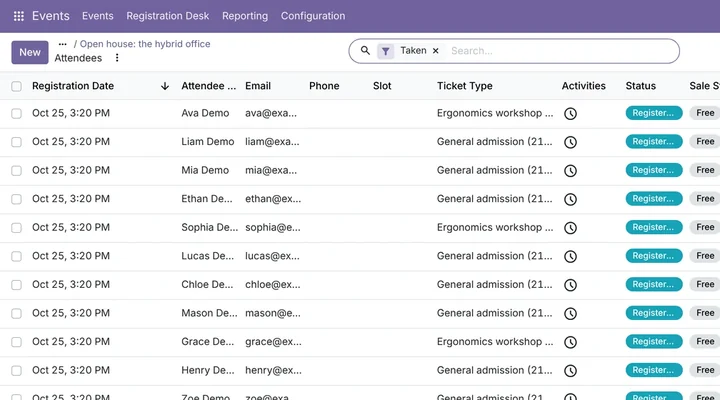
Odoo Community, Events app: attendee list for the “Open house” with ticket types and buttons to mark attendance. Fictional names.
  1. 01Event and tickets
  2. 02Registrations
  3. 03Check-in
  4. 04Communications
Illustration and real Odoo Community screenshot · fictional data

Don’t see your industry?

Tell us how your business works, and we’ll figure out together whether Odoo Community fits your needs and which features you’ll need.

Odoo Community apps, combined around your business

  • Sales
  • CRM
  • Inventory
  • Purchase
  • Invoicing
  • Project
  • Manufacturing
  • Point of Sale
  • Events
  • Repairs
  1. 01We listen
  2. 02We check
  3. 03We propose

Why Odoo Community

Why Odoo Community?

The strength of an open ecosystem. The expertise of AREA51BIT.

We chose to specialize in Odoo Community: an open-source platform for building advanced, flexible and adaptable business solutions.

  1. 01

    The platform

    Odoo Community

    The open-source ERP and its standard features: CRM, sales, inventory, invoicing and many more apps, in a single database.

  2. 02

    The ecosystem

    OCA

    The independent association that collaboratively develops and maintains open-source modules extending Odoo with new capabilities and industry- and country-specific features.

  3. 03

    Your technical partner

    AREA51BIT

    Not a module: the team that analyzes, configures, integrates, customizes, deploys and supports your solution.

Official websites: Odoo (opens in a new tab) · OCA (opens in a new tab)

An open ecosystem behind you. AREA51BIT at your side.

The OCA areas shown are examples of application areas in the ecosystem; the availability and compatibility of individual modules with the chosen version are verified in every project. The OCA is an independent association: it does not provide support to AREA51BIT customers and does not certify AREA51BIT's services. AREA51BIT takes part in the Odoo Community Association.

How we work

We guide you through five stages. And we stay after go-live.

One technical point of contact from analysis to support: you always know who configured, developed and connected your system.

  1. 01Process analysis

    Understanding how your business works and what the standard features can cover.

  2. 02Installation and configuration

    Odoo Community configured around real users, permissions and workflows.

  3. 03Infrastructure

    On your servers or in managed hosting, as defined in the project.

  4. 04Customization and integrations

    OCA modules, targeted development and connections to existing systems, where needed.

  5. 05Training, support and evolution

    Role-based training, post-launch support, updates and version migrations.

Odoo in practice

One system, from first contact to invoice.

Three real workflows using standard Odoo Community features, in a demo company with fictional data and amounts in US dollars.

Community · CRM & Sales Demo environment · fictional data
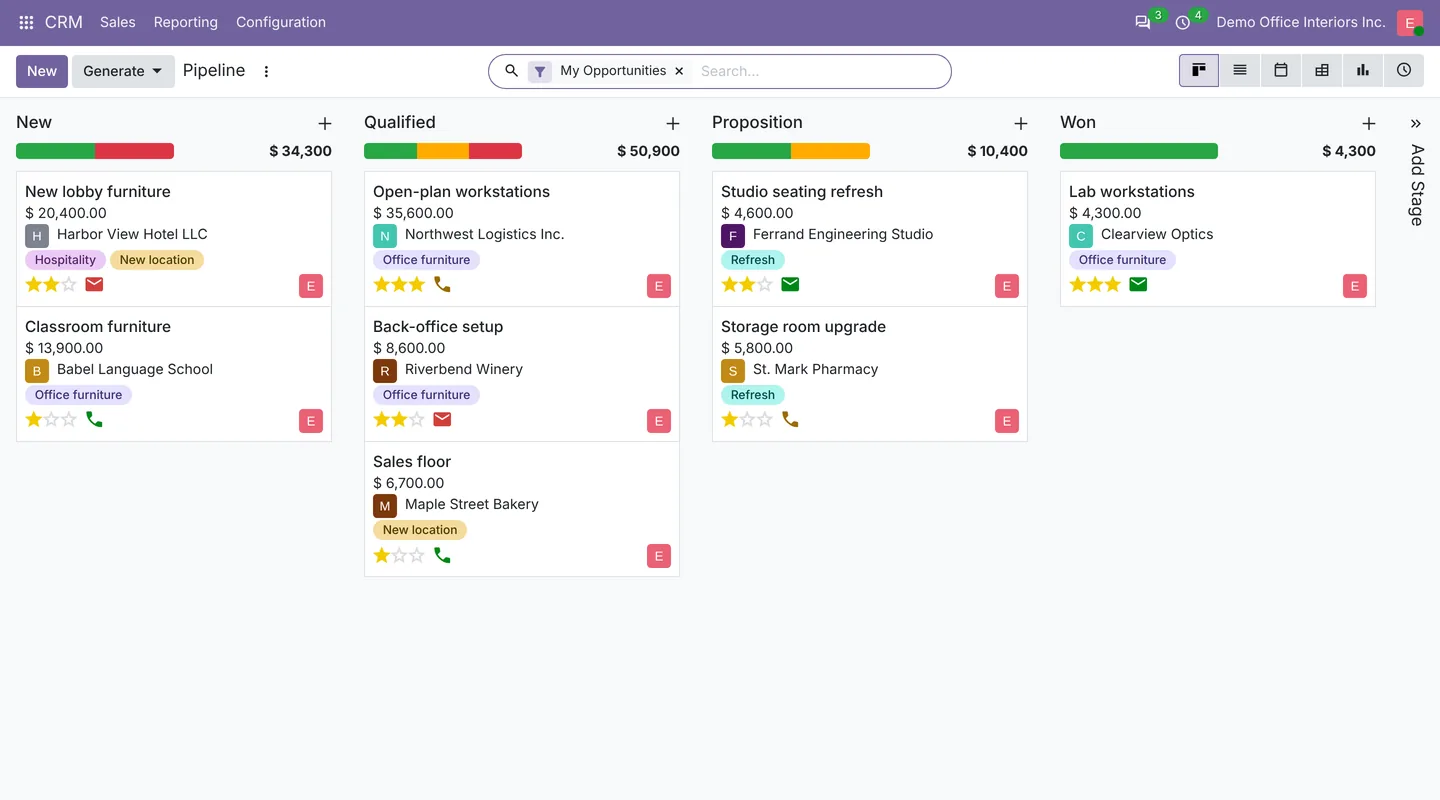
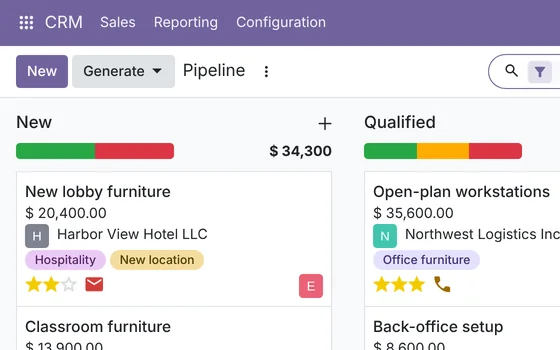
Odoo Community Edition in English, CRM app: opportunity pipeline in a kanban view with the stages New, Qualified, Proposition and Won; each card shows the deal, expected revenue in US dollars, customer, tags and next activity. Fictional company and data.

Swipe sideways to see the whole screen.

Deals are organized by stage, with expected revenue and next activities.

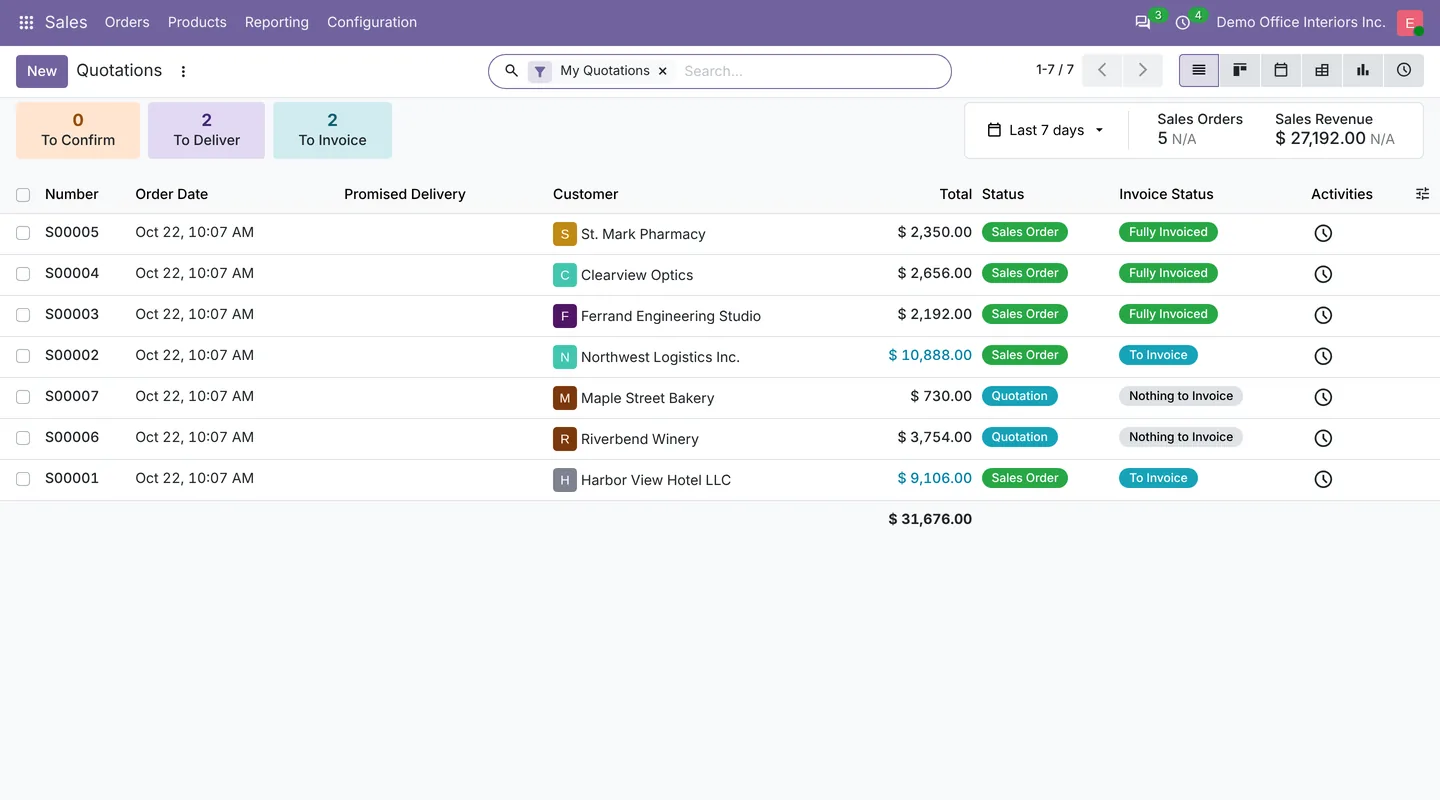
The opportunity becomes a quotation; quotations and orders stay in a single list.

Once confirmed, the order lists products and prices and is ready for delivery and invoicing.

Community · Inventory Demo environment · fictional data
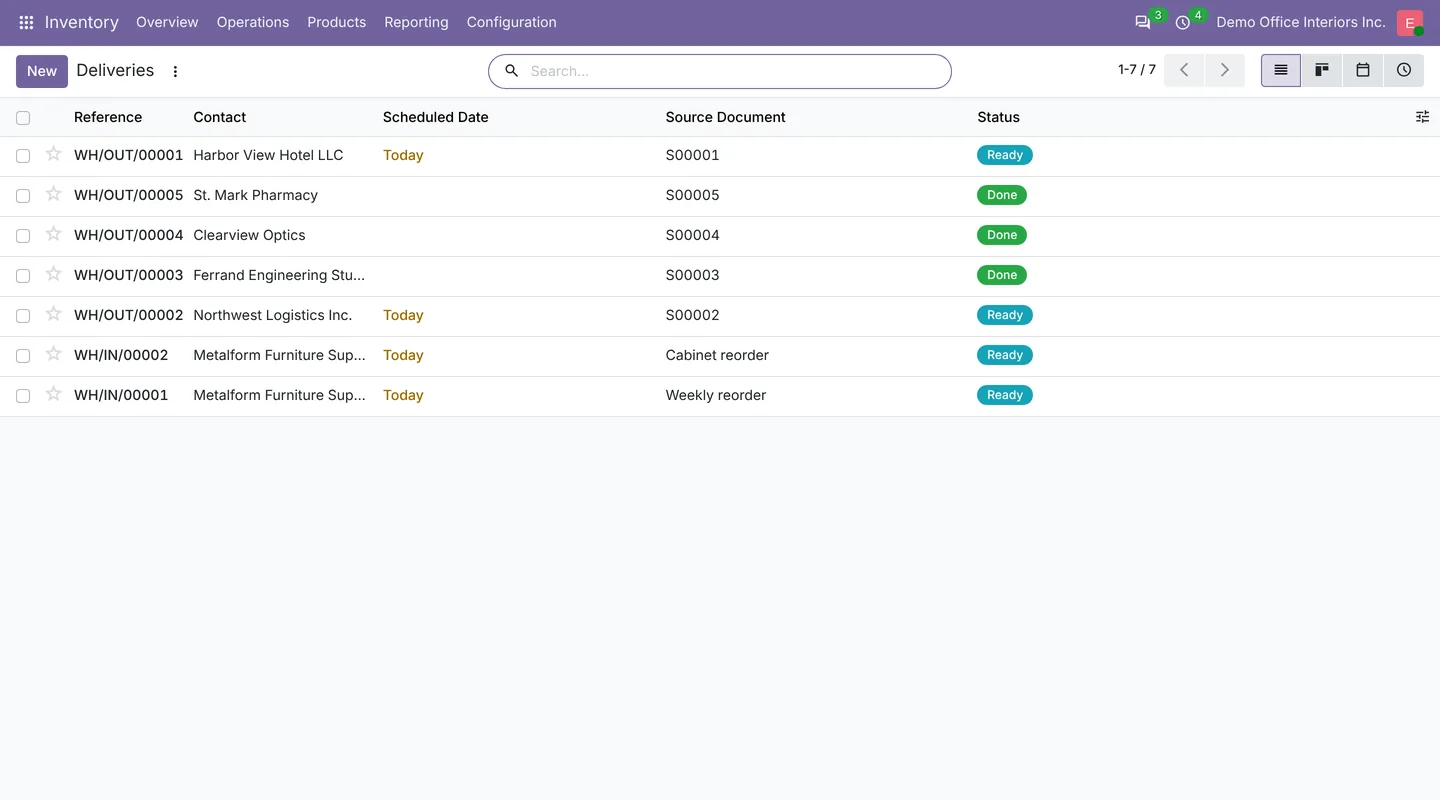
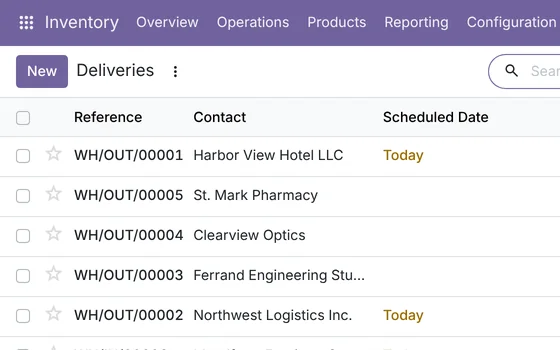
Odoo Community Edition, Inventory app: list of deliveries and receipts with reference, contact, scheduled date, source document (sales orders) and status Ready or Done. Fictional company and data.

Swipe sideways to see the whole screen.

Every confirmed order creates a delivery, with its source and status always visible.

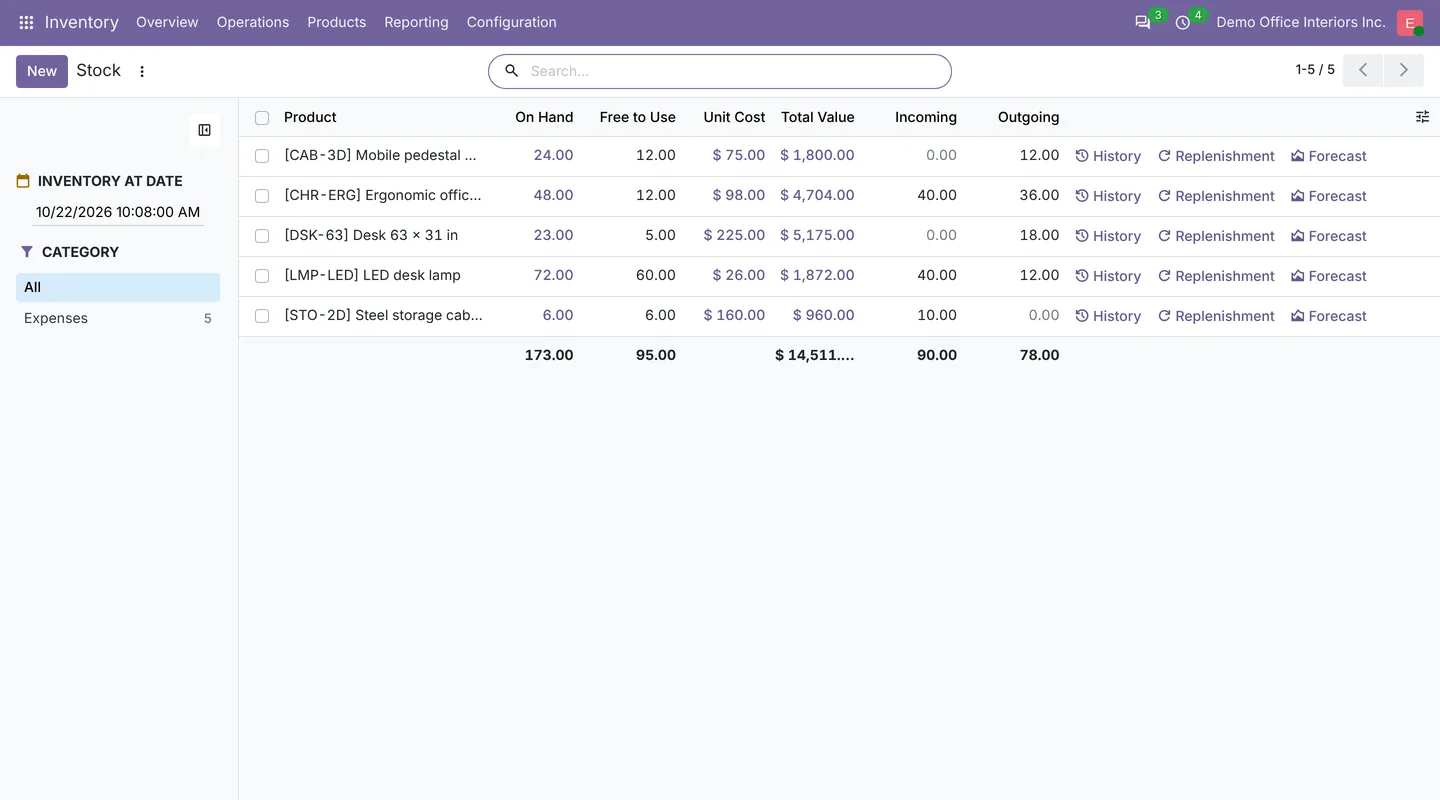
On-hand quantity, availability and value per product update with every movement.

Community · Sales & Invoicing Demo environment · fictional data
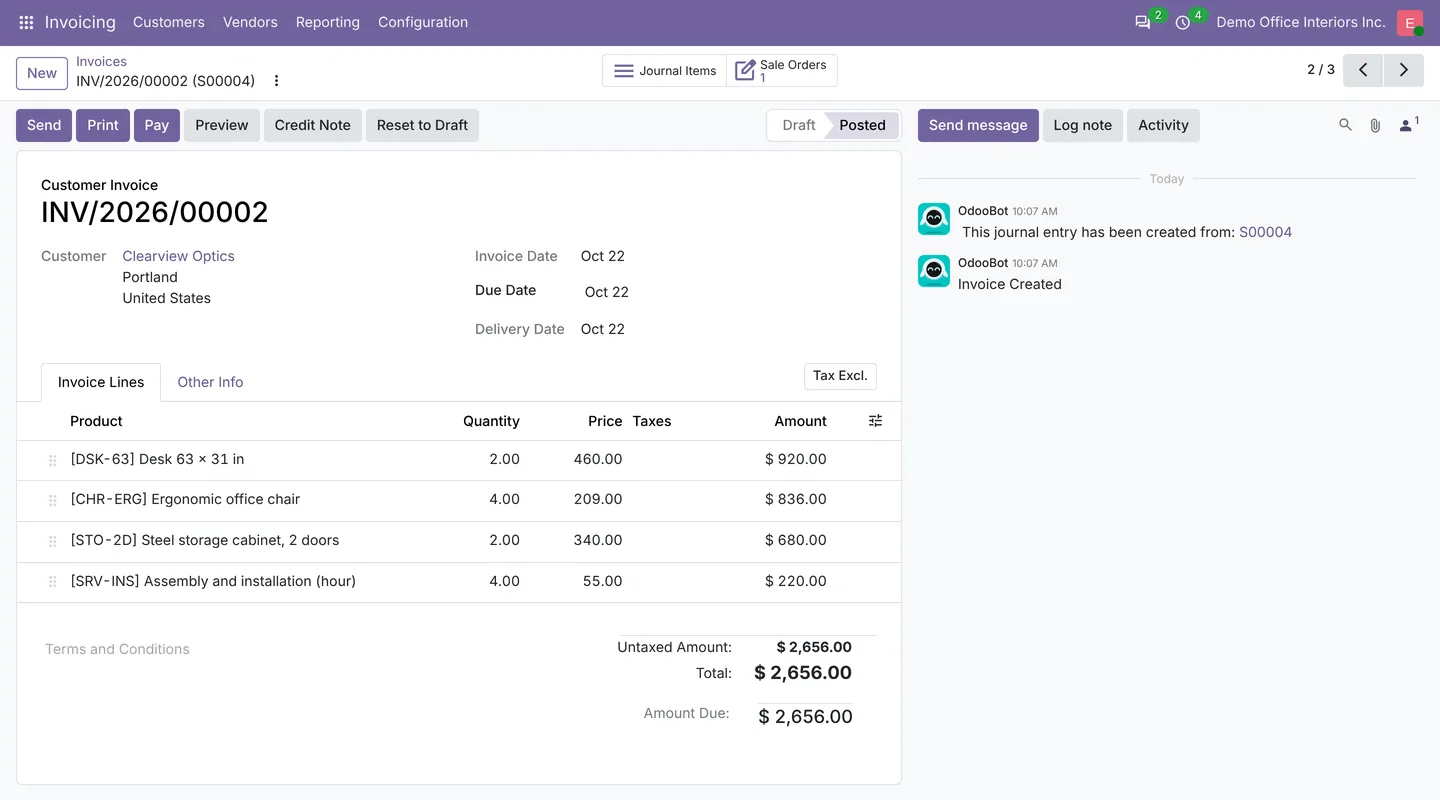
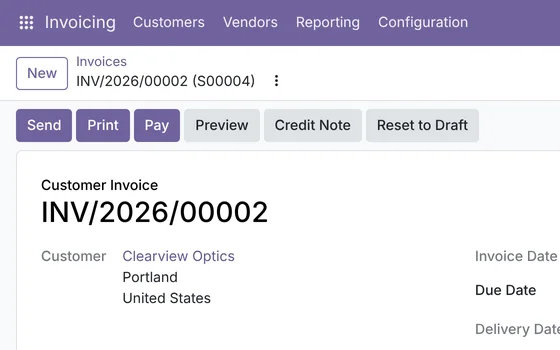
Odoo Community Edition, Invoicing app: customer invoice INV/2026/00002 created from sales order S00004, with product lines, untaxed amount and a total of $2,656.00. Fictional company and data.

Swipe sideways to see the whole screen.

The invoice is created from the order, with its lines, untaxed amount and total in US dollars.

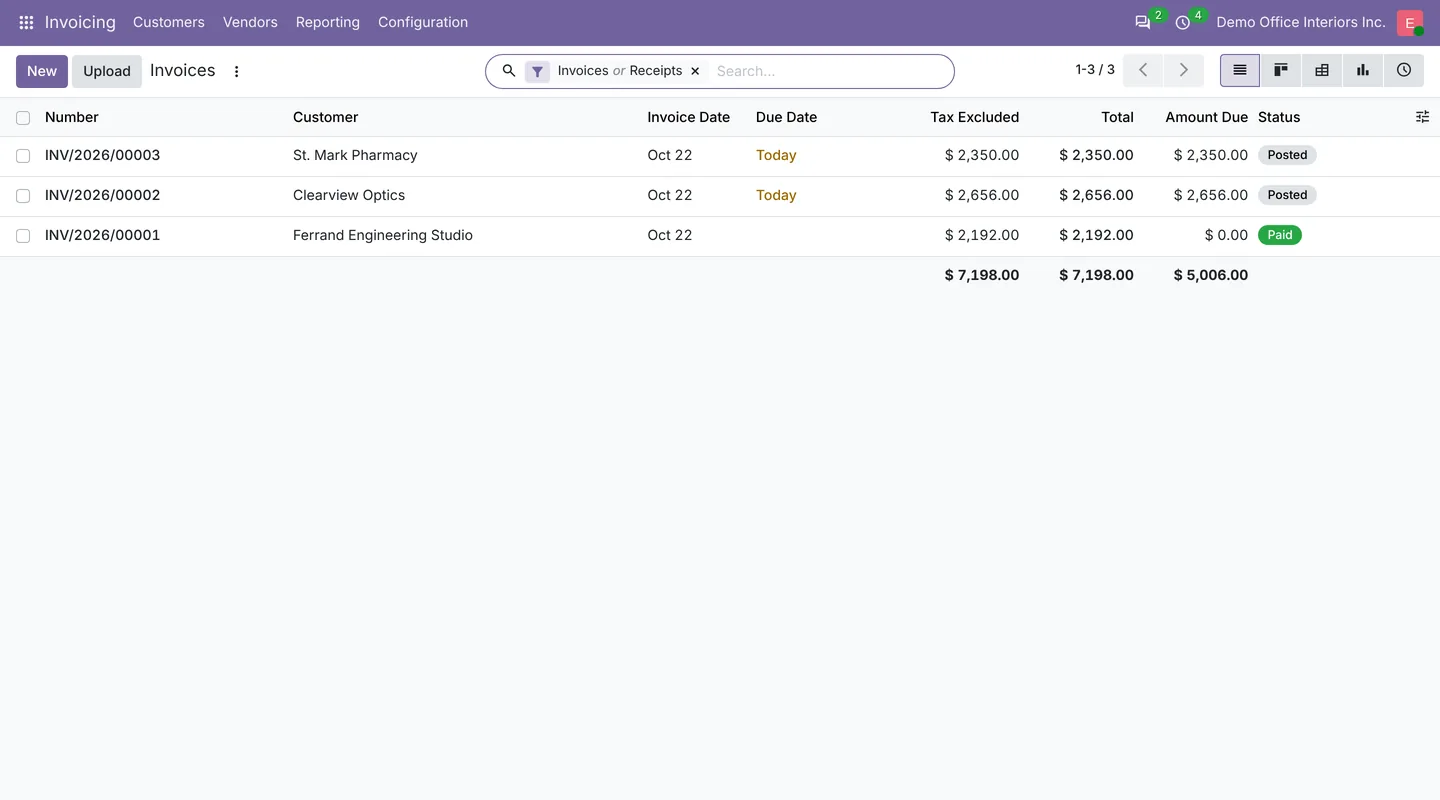
Invoices show due dates, amount due and payment status.

Infrastructure

On your servers or in managed hosting.

Either way, it's Odoo Community, with the modules chosen for your project.

On your servers

On-premises or on infrastructure you control. We install and configure Odoo Community, the database and the required services, and agree with you on how they are managed.

In managed hosting

For businesses that prefer not to run their own servers. We'll evaluate a managed solution together: scope, resources and terms are defined in the project proposal.

Customization and integrations

We customize when it's needed. We make the most of standard when it's enough.

  1. Standard featuresConfigured around your processes.
  2. OCA modulesSelected and verified for your version.
  3. Custom developmentOnly where standard and OCA fall short.
  4. IntegrationsOdoo connected to the systems you use, via API.

Every customization has to be maintained with each new Odoo version, which is why we only move up a level when the previous one isn't enough. We also handle data migration, maintenance and version upgrades.

FAQ

Practical questions, clear answers.

What is Odoo Community Edition?

It's the open-source edition of Odoo, released under the LGPL-3 license: a modular business application suite that brings CRM, sales, inventory, invoicing and many other apps together in a single database.

How much does it cost to introduce Odoo Community in my business?

Odoo Community has no per-user license fee payable to Odoo SA. Project costs depend on your needs: analysis, installation, any customization, integrations, infrastructure, training and support. AREA51BIT prepares a proposal based on the services you actually need.

Can we start with a few features and add more over time?

Yes. One of the advantages of a modular ERP is that you can move in phases. We can start with your priority activities and later evaluate new apps, OCA modules or integrations, taking compatibility and long-term maintenance into account.

Can AREA51BIT customize it?

Yes. We first configure the standard features and evaluate OCA modules; when they're not enough, we develop custom modules designed to be maintained and upgraded over time.

Does it integrate with the software we already use?

Odoo provides APIs for exchanging data with other systems. We assess case by case how to connect your e-commerce, applications and existing services, or whether it makes more sense to migrate their data into Odoo.

Can it be installed on our own servers?

Yes. Odoo Community can run on your servers or on infrastructure you control; alternatively, we can evaluate a managed hosting solution together.

How do maintenance and support work?

After go-live, we remain your technical point of contact for support, fixes, updates and version migrations. Terms and timing are agreed in the proposal.

Tell us how your business works. We'll figure out the rest together.

Already a customer? For technical support, use the dedicated contacts